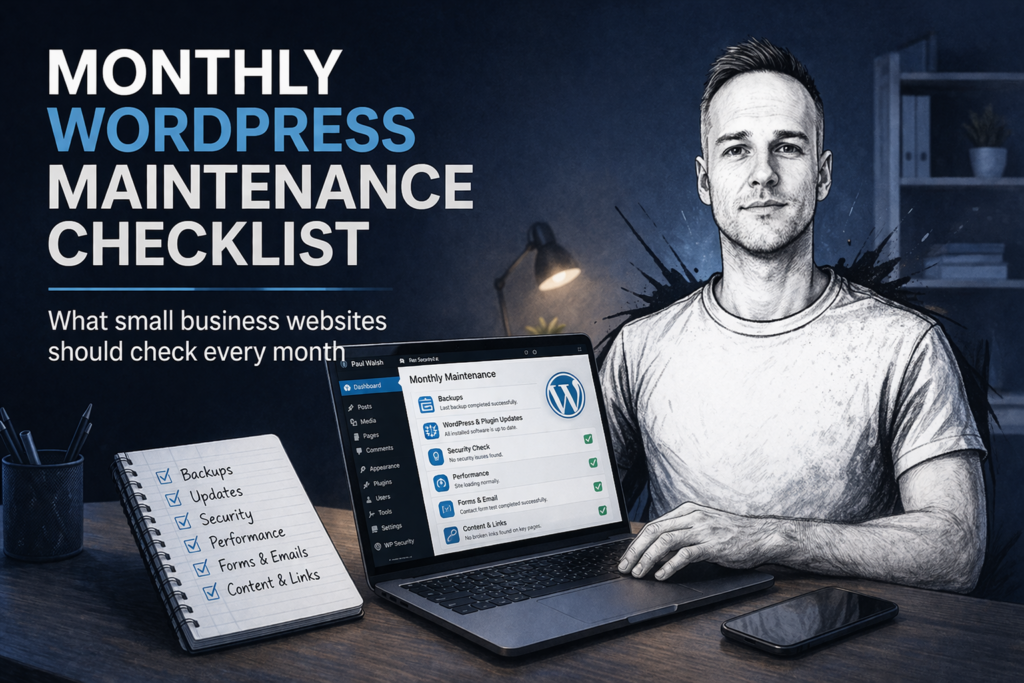
If you run a small business website on WordPress, it is easy to assume everything is fine until something breaks.
A contact form stops sending emails. A plugin update causes a layout issue. The website slows down. A backup fails. In many cases, the problem has been building quietly in the background for weeks.
That is why a simple monthly WordPress maintenance routine matters.
You do not need to be a developer to keep an eye on the basics, but you do need a checklist. A small amount of regular maintenance can help you catch problems early, reduce the risk of downtime, and keep your website secure and working properly.
Why monthly WordPress maintenance matters
WordPress websites are not static brochure pages. Even a simple small business site usually depends on:
- WordPress core
- a theme
- several plugins
- hosting
- forms
- email delivery
- backups
- security tools
Any one of those can cause issues if it is ignored for too long.
Monthly maintenance helps you:
- spot problems before customers do,
- reduce the chance of plugin or theme conflicts,
- keep forms, bookings and enquiries working,
- improve speed and reliability,
- protect the site from security issues,
- avoid the stress of a sudden website failure.
If your website helps generate leads or enquiries, this is not optional. It is part of running the site properly.
A practical monthly WordPress maintenance checklist
Here is a sensible monthly routine for a typical small business WordPress website.
1. Check that the website is actually loading properly
Start with the basics.
Open the website on:
- desktop,
- mobile,
- a few key pages.
Check that:
- the site loads,
- the layout looks normal,
- images are appearing,
- menus work,
- buttons work,
- there are no obvious warning messages or broken sections.
Sometimes a website is technically “live” but clearly broken in a way the owner has not noticed yet.
Pay particular attention to:
- the homepage,
- contact page,
- service pages,
- any quote form or booking form,
- blog pages if they drive traffic.
2. Test the contact form
This is one of the most important checks.
Many small business websites lose enquiries because the form appears to work but the emails never arrive.
Each month, submit a real test enquiry through the contact form and confirm:
- the form sends successfully,
- you receive the email,
- the confirmation message looks correct,
- spam protection is not blocking genuine submissions.
If the website has multiple forms, test all of them.
A broken contact form can quietly cost you leads for weeks.
3. Take a fresh backup and confirm backups are working
A backup only matters if it actually exists and can be restored.
Each month, check:
- when the last backup ran,
- where backups are stored,
- whether the backup completed successfully,
- whether backups are being stored off the website server as well.
A lot of people assume their hosting company is handling everything. Sometimes they are, sometimes they are not, and sometimes the backup system has been failing unnoticed.
At a minimum, you want confidence that there is a recent working backup available if something goes wrong.
4. Review WordPress core, plugin and theme updates
WordPress maintenance nearly always includes updates, but updates should not be done carelessly.
Check for:
- WordPress core updates,
- plugin updates,
- theme updates.
Before updating anything important:
- make sure a backup exists,
- note what is being updated,
- avoid doing major updates blindly on a busy live site if the website is critical.
For smaller brochure sites, careful monthly updating is usually sensible. For more complex websites, it is better to test more cautiously.
The goal is not to update everything recklessly. The goal is to keep the site reasonably current without creating avoidable problems.
5. Check for plugin bloat or unused plugins
Many WordPress websites gradually become cluttered.
Plugins get installed for one task, then forgotten about. Some are inactive. Some overlap. Some are outdated. Some are no longer needed.
Once a month, review:
- active plugins,
- inactive plugins,
- whether any plugin looks abandoned,
- whether multiple plugins are doing similar jobs.
Unused plugins should not just sit there forever. Old or unnecessary plugins can add security risk, increase maintenance burden, and sometimes slow the site down.
6. Check website speed at a basic level
You do not need a deep technical audit every month, but you should keep an eye on whether the site feels noticeably slower.
Test a few important pages and watch for:
- slow loading images,
- pages that hang before loading,
- sliders or scripts delaying content,
- generally sluggish performance on mobile.
Even without a full technical report, a simple monthly check can help you notice when something has changed.
If the website suddenly feels slower than normal, that is worth investigating before it becomes a bigger issue.
7. Check for broken pages or obvious errors
Visit the important pages and watch for:
- 404 pages,
- missing images,
- broken internal links,
- strange formatting,
- duplicate headings,
- pages that have lost styling.
Also check that key pages are still in the menu and still accessible.
Sometimes problems appear after updates, content edits or plugin conflicts. A quick manual check is often enough to catch them.
8. Review security basics
Small business websites are common targets for automated attacks, even if the business itself is not high profile.
Each month, review:
- whether WordPress, plugins and themes are reasonably up to date,
- whether security tools are reporting anything unusual,
- whether there are suspicious admin accounts,
- whether there have been repeated failed login attempts,
- whether SSL is still active and the site loads securely.
You do not need to become a security expert, but you do need to keep the basics under control.
9. Check that emails are being delivered properly
Beyond form testing, think about website-generated emails more broadly.
This can include:
- form notifications,
- WooCommerce order emails,
- password reset emails,
- booking confirmations,
- admin notifications.
Email deliverability issues are common on WordPress websites, especially where mail is sent using weak default settings.
If the site depends on email notifications, this should be checked regularly.
10. Review key content and business information
Business details change more often than people think.
Each month, review:
- phone number,
- email address,
- opening hours,
- service areas,
- pricing if shown,
- testimonials,
- team info,
- outdated offers or announcements.
This is simple, but it matters. A technically working website can still lose trust if the information is old or inconsistent.
11. Check mobile usability
A lot of small business owners mainly look at their website on desktop, but many of their visitors are on mobile.
Each month, test the site on a phone and check:
- text is readable,
- buttons are easy to tap,
- contact forms work,
- menus open properly,
- nothing is overlapping or cut off.
A site can look fine on desktop and still provide a poor mobile experience.
12. Scan for obvious SEO problems
This does not need to turn into a full SEO audit every month, but a quick check is sensible.
Look for:
- pages accidentally set to noindex,
- broken title tags,
- missing meta descriptions on key pages,
- pages dropped from the menu,
- major content changes that weakened a service page,
- sudden traffic drops in search.
Monthly maintenance is not just technical. It also protects the website’s ability to generate traffic and enquiries.
13. Check website uptime and general reliability
If the site has been going offline intermittently, loading slowly at random times, or showing server errors, that needs attention.
Check for:
- reports of downtime,
- hosting warnings,
- resource issues,
- plugin problems causing instability.
You do not want to find out your site has been unreliable only after a potential customer mentions it.
14. Remove spam comments, junk users or clutter
If comments are enabled, or if the site allows account registration, review for:
- spam comments,
- fake users,
- clutter in the dashboard,
- unnecessary drafts or old content.
This keeps the backend tidier and reduces the chance of problems building up unnoticed.
15. Keep a simple maintenance record
This is one of the most overlooked steps.
Each month, note down:
- what was checked,
- what was updated,
- whether the forms worked,
- whether backups were confirmed,
- whether any issues were found,
- what actions were taken.
It does not need to be complicated. Even a simple spreadsheet or note is enough.
This helps you spot patterns and makes troubleshooting easier if something later goes wrong.
A simple monthly WordPress maintenance routine
For most small business websites, a monthly routine might look like this:
- check the front end of the website,
- test the forms,
- confirm the backups,
- review and apply safe updates,
- check mobile layout,
- scan for errors,
- review key business details,
- note anything that needs fixing.
That alone will put you ahead of many small business websites that are left untouched for months at a time.
Common mistake: only looking at the website when something breaks
This is the pattern on a lot of small business sites.
The website is launched, a few plugins get updated now and then, and no one looks closely until:
- the site stops loading,
- the contact form fails,
- a plugin update causes damage,
- the site becomes slow,
- malware appears,
- enquiries drop.
At that point, the repair is often more expensive and more urgent than it needed to be.
Regular maintenance is usually cheaper, calmer and more sensible than emergency fixes.
When to get help
Some website owners are happy doing the simple checks themselves. Others would rather hand it over and know it is being looked after properly.
If your website is important to your business and you do not want to spend time worrying about updates, forms, backups and plugin issues, ongoing support can make sense.
I help small businesses with WordPress website fixes, support and maintenance, including:
- diagnosing problems,
- fixing update issues,
- checking broken forms,
- improving reliability,
- carrying out ongoing website support.
If your WordPress website needs attention, or you want someone to keep an eye on it properly, take a look at my website pricing or get in touch.
Need help with your website?
I work directly with small businesses on web design, WordPress fixes, Shopify support and local SEO. No agency overhead.
Get in touch →