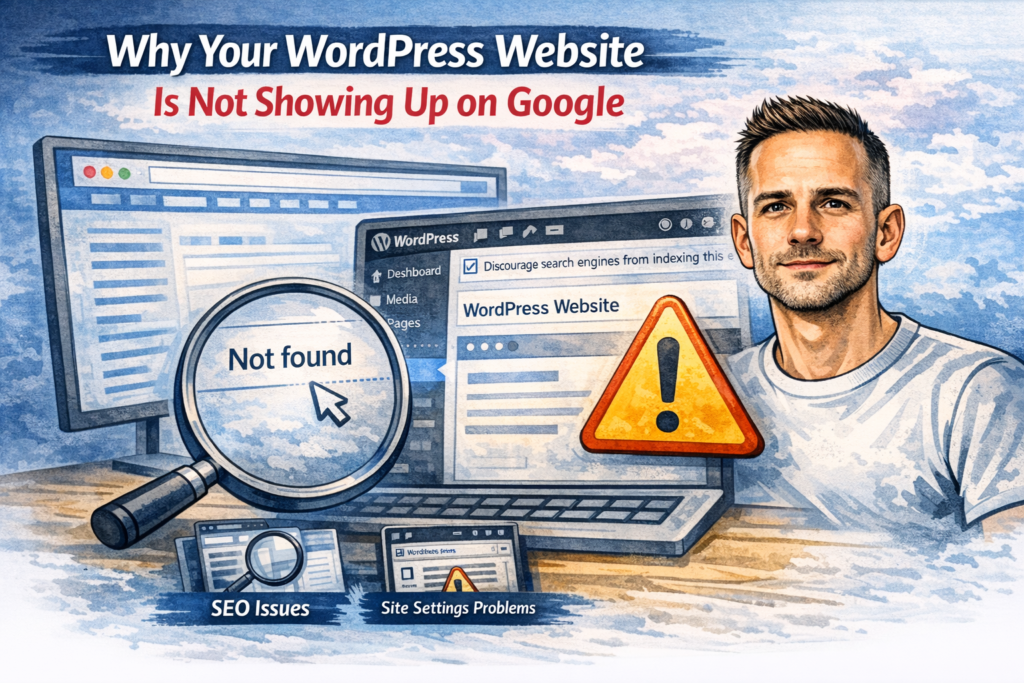
If your WordPress website is not showing up on Google, it does not always mean something is badly wrong. Sometimes a website is simply new, sometimes Google has not indexed the pages yet, and sometimes there is a technical or content issue getting in the way.
The mistake many small business owners make is assuming that once a website is live, it should automatically appear in search results straight away. That is not how it works. Google still has to find the website, crawl it, understand it, and decide which pages are worth showing.
In some cases, the issue is simple. In others, there can be a mix of technical settings, weak page structure, poor content, or indexing problems behind it.
This guide explains the most common reasons a WordPress website is not showing up on Google, what to check first, and when it makes sense to get help.
1. Your website may be blocking search engines
This is one of the most common reasons, especially on newly built or recently redesigned WordPress websites.
WordPress includes a setting that discourages search engines from indexing the site. It is often used while a website is being built, but sometimes it gets left switched on when the site goes live.
To check this in WordPress:
- go to Settings
- then Reading
- look for the box that says Discourage search engines from indexing this site
If that box is ticked, your website may struggle to appear in Google at all.
I cover this in more detail in Why Your WordPress Website Is Blocking Search Engines, but it is always one of the first things worth checking.
2. Your website is live, but Google has not indexed it yet
A site can be fully live and still not appear in Google immediately.
This is especially common if:
- the website is brand new
- the domain is new
- there are few pages on the site
- there are very few links pointing to it
- Google has not discovered it properly yet
Google does not index every website instantly. Sometimes it takes days, and sometimes longer, especially for smaller websites with little authority.
That does not automatically mean something is broken.
A good first step is to search Google using:
site:yourdomain.co.uk
That can show whether any pages from the website are currently indexed. If nothing appears, it may mean Google has not indexed the site yet, or that there is a technical reason stopping it.
3. The page has little or no real content
Google is not looking for empty pages, placeholder text, or thin pages with very little value.
If a page has:
- only a short paragraph
- duplicate wording taken from other pages
- vague service copy
- almost no useful information
- no clear topic or purpose
then Google may decide it is not worth indexing prominently, or at all.
This is a common problem on small business websites where pages are created quickly just to fill out a menu.
A proper service page or blog post should have a clear purpose, helpful detail, and enough substance to justify existing. A page does not need to be huge, but it does need to say something useful.
4. The page is not linked properly from the rest of the site
Google finds and understands pages partly through internal links.
If an important page is buried, orphaned, or only accessible through a button or unusual layout, Google may struggle to treat it as important.
This is why site structure matters.
Important pages should usually be linked from:
- the main menu
- relevant service pages
- related blog posts
- footer links where appropriate
- category or parent pages
If a page exists but nothing really links to it, Google may take longer to find it and may treat it as unimportant.
This is also why internal linking across your blog and service pages matters so much. It helps users, and it helps search engines understand which pages matter most.
5. There may be a noindex tag on the page
Even if the main WordPress reading setting is fine, an individual page can still be set to noindex.
This often happens through SEO plugins such as Yoast or Rank Math, or during development work when a page was intentionally hidden from search engines.
If a page is set to noindex, Google may crawl it but will usually not show it in search results.
This is worth checking on:
- service pages
- blog posts
- category pages
- landing pages created for campaigns or redesigns
A single noindex setting can quietly stop a useful page from appearing.
6. Canonical or duplicate-content issues may be confusing Google
Sometimes Google can see the page, but it is not sure which version it should index.
This can happen if your site has multiple versions of the same page, such as:
- www and non-www versions
- HTTP and HTTPS versions
- duplicate service pages
- near-identical location pages
- duplicate tag or category archives
- staging or test copies accessible online
When that happens, Google may ignore one version, choose another, or struggle to understand which page is the main one.
This does not always lead to a total indexing failure, but it can stop the right page from showing.
7. Your website may have crawl or technical issues
If Google cannot crawl the website properly, it cannot index it properly.
Technical problems that can affect this include:
- server errors
- repeated downtime
- broken redirects
- very slow loading
- security issues
- incorrect robots.txt rules
- DNS problems
- SSL problems
For example, if your site is showing warnings or not loading securely, that can affect trust and accessibility. If that may be part of the problem, it is worth checking Why Your WordPress Website Says Not Secure as well.
If the site has recently been changed, migrated, or updated, technical problems can easily creep in without being obvious to the owner.
8. The website may not have been submitted to Google properly
Google can often discover websites naturally, but that does not mean you should leave it to chance.
Google Search Console is one of the main tools for checking whether your website is being indexed properly. It can show:
- whether pages are indexed
- whether pages are excluded
- crawl issues
- noindex problems
- sitemap issues
- canonical issues
- mobile usability problems
If Search Console is not set up, you are largely guessing.
For any business website, this should be in place as standard. It does not magically improve rankings, but it gives you visibility into what Google is actually doing with the site.
9. Your sitemap may be missing or not helping enough
A sitemap helps search engines discover the important pages on a website.
Most WordPress SEO plugins generate a sitemap automatically, but it still needs to be working properly and ideally submitted in Google Search Console.
A sitemap will not force rankings, but it does make it easier for Google to find and review your pages.
If you have recently launched new pages or blog posts, a proper sitemap can help with discovery.
10. Your page may simply not be strong enough yet
Sometimes the website is indexed, but the owner says it is “not showing up on Google” when the real issue is that it is buried far down the results.
That is a different problem.
In that case, the page may exist in Google, but it is not ranking well because:
- the content is weak
- the page does not match search intent well
- competitors have stronger pages
- the website has little authority
- there are few relevant links pointing to the domain
- the page is too broad or unclear
So there are really two separate questions:
- is the page indexed?
- is the page ranking well?
A page can be indexed and still bring in no traffic.
What to check first
If your WordPress website is not showing up on Google, this is the order I would normally check things in:
1. Check whether the site is indexed
Search for:
site:yourdomain.co.uk
If nothing shows, indexing may be the problem.
2. Check the WordPress reading setting
Make sure search engines are not being discouraged from indexing the site.
3. Check individual page settings
Make sure important pages are not set to noindex through your SEO plugin.
4. Check Google Search Console
Look for indexing and coverage issues.
5. Check that the content is actually worth indexing
Ask honestly whether the page is useful, specific, and strong enough.
6. Check internal links
Make sure the important pages are linked properly from the rest of the site.
7. Check technical basics
Look at HTTPS, redirects, crawl issues, and general site health.
If the site has recently had changes, updates, or breakages, it is also worth reading What to Check First When a WordPress Website Breaks and WordPress Update Checklist for Small Business Websites.
When this is a bigger problem than it first appears
Sometimes a website not showing up on Google is not a one-setting problem. It can be a symptom of a bigger issue, such as:
- a poor rebuild
- weak page structure
- broken technical setup
- inconsistent URLs
- low-quality service pages
- missing SEO basics
- poor internal linking
This is why quick fixes are not always enough. You can untick a box or submit a sitemap, but if the site itself is weak, the visibility problem often remains.
When to get help
If you have checked the basics and the website still is not showing up properly, it may be time to get help with it.
That is especially true if:
- the site has been live for a while
- important pages are still not indexed
- traffic is flat
- the site has recently been rebuilt or migrated
- you are not sure whether the problem is technical, structural, or content-related
In those cases, a proper review is usually more useful than guessing.
If your site has a WordPress-specific issue, my WordPress fixes service is designed for that. If the problem is broader and the whole site needs reviewing, restructuring or correcting, my website fixes service may be the better fit.
Final thought
If your WordPress website is not showing up on Google, do not assume the answer is always “SEO”.
Sometimes the issue is a hidden setting. Sometimes it is indexing. Sometimes it is poor content. Sometimes it is technical. And sometimes the site is in Google, but just not strong enough to rank where it needs to.
The right approach is to check the basics first, then work through indexing, content, structure, and technical setup properly.
That gives you a much better chance of fixing the real issue, not just guessing at it. If you would like practical help improving your site’s visibility, take a look at my WordPress fixes service, check my website pricing, or get in touch.
Need help with your website?
I work directly with small businesses on web design, WordPress fixes, Shopify support and local SEO. No agency overhead.
Get in touch →