If your WordPress website is live but barely showing in Google, there is a chance it is blocking search engines.
This is one of those issues that can sit quietly in the background for weeks or even months. The website looks fine. Pages load normally. Everything seems live. But behind the scenes, WordPress, a plugin, or a technical setting may be telling Google not to crawl or index the site properly.
For a small business, that can be a serious problem. You can invest in a new website, write service pages, add blog posts and still see little organic traffic simply because the site is blocking visibility at a technical level. This is the kind of issue I often come across through my WordPress fixes service and wider website fixes work.
What does “blocking search engines” actually mean?
In simple terms, it means your website is stopping Google and other search engines from properly accessing or indexing your pages.
That can happen in a few different ways:
- WordPress may be set to discourage search engines
- important pages may be marked as noindex
- a robots.txt rule may be blocking crawlers
- a staging or maintenance setup may still be active
- the site may be hidden behind a password or server restriction
The result is the same: your website becomes much harder for search engines to crawl, understand and rank.
That is why technical setup matters just as much as design. A website can look polished on the surface, but still fail in search if the foundations are wrong. Good website design is not just about how a site looks. It also needs to be accessible, indexable and built properly.
The most common WordPress cause
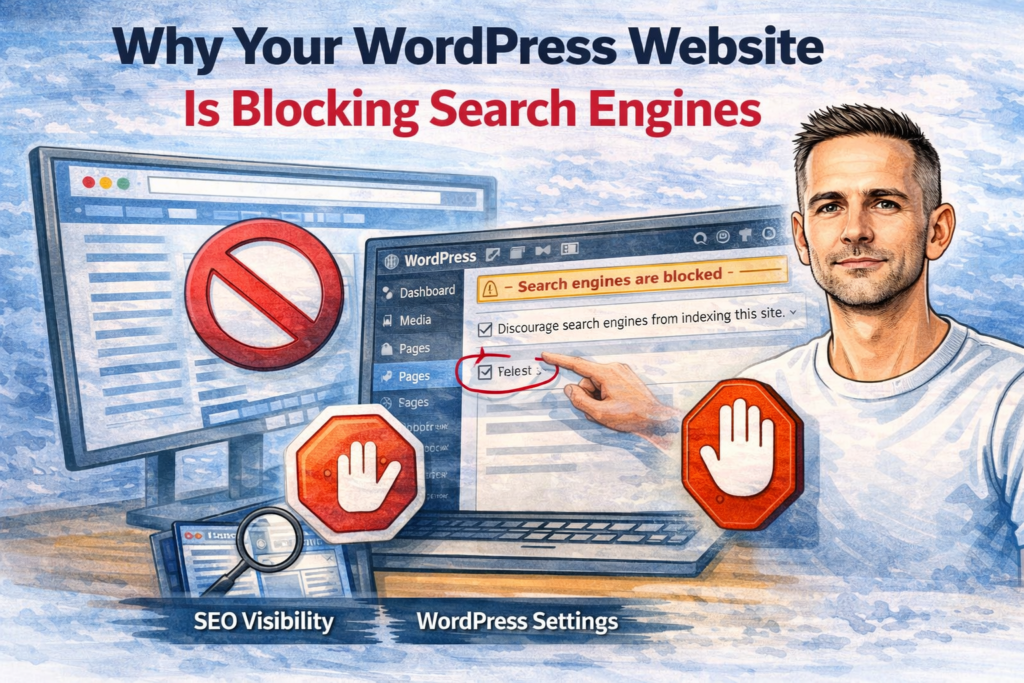
One of the most common causes is a simple WordPress setting found under Settings > Reading.
There is a checkbox called:
Discourage search engines from indexing this site
This is often used while a website is being built, which is fair enough. The trouble starts when that setting is left switched on after the site goes live.
If that happens, WordPress may add instructions that tell search engines not to index the site properly. That can hold back your homepage, service pages and blog posts before they have even had a fair chance to rank.
This is especially common after:
- a redesign
- a site migration
- a rebuild by a freelancer or agency
- a staging site being pushed live
It is a small thing, but it can do real damage. It is also exactly the kind of detail that should be picked up during a proper handover. I touched on that in what a small business should receive at website handover.
Other reasons a WordPress website may block Google
The main WordPress checkbox is not the only possible cause. A website can block search engines in several other ways too.
1. Important pages have been set to noindex
Many WordPress websites use an SEO plugin. These tools can be useful, but they also make it easy to accidentally mark pages as noindex.
That means Google may be told not to show a page in search results, even though the page is live and accessible to visitors.
This can affect:
- service pages
- blog posts
- category pages
- location pages
- product pages
Sometimes only one page is affected. Sometimes entire sections of the website are hidden from search without the owner realising.
2. Robots.txt is blocking crawlers
Your robots.txt file gives instructions to search engine crawlers. Used carefully, it can help stop low-value areas of the site being crawled too heavily. Used badly, it can block important content.
A poor robots.txt setup can stop search engines reaching pages they need to access. In some cases, a development robots file is left in place after launch, which can be a nasty own goal.
3. A staging or maintenance setup is still active
It is very common for WordPress websites to be built on a staging version first. During development, search engines are often blocked on purpose.
The problem is when those settings carry over to the live site.
That might mean:
- noindex tags remain in place
- maintenance mode is still active
- the live site is still partially restricted
- sitemap settings are wrong
- canonical settings still point elsewhere
This is why launch checks matter. It is also why ongoing checks matter. I covered that more broadly in monthly WordPress maintenance checklist for small business websites.
4. Security or coming soon plugins are interfering
Some security, maintenance mode or coming soon plugins can unintentionally block search engines.
That does not always mean the whole site is invisible, but it can mean certain areas are hidden, certain pages are excluded, or search engines are being given mixed signals.
A site owner may assume the plugin is harmless because the website looks fine in a browser, but Google may be seeing something different.
5. Password protection or server-level restrictions
Sometimes the issue is not WordPress itself. Hosting settings or server rules may be blocking crawlers. This can happen after a migration, server move, or temporary lockdown put in place during development.
If Googlebot cannot access the site cleanly, indexing will suffer.
Signs your site might be blocking search engines
You do not always get a clear warning. Usually, the signs are indirect.
Common signs include:
- your website does not rank even for its own business name
- new pages never seem to appear in Google
- blog posts stay invisible long after publishing
- traffic from search is extremely low
- Google Search Console shows indexing problems
- rankings dropped sharply after a rebuild or redesign
This is why it is important not to assume every SEO problem is about competition. Sometimes the problem is more basic than that. The site may be getting in its own way technically.
I see this quite often on small business websites where there are also other issues at play, such as performance problems, update issues or mobile layout faults. Related problems can include the ones covered in why WordPress websites break after plugin updates, why your WordPress website looks broken on mobile and why your WordPress website is slow and what might be causing it.
How to check whether your WordPress website is blocking Google
There are a few places to check.
Check the Reading settings in WordPress
Go to Settings > Reading and look for the search engine visibility option.
If Discourage search engines from indexing this site is ticked on a live website, that needs fixing.
Check key pages in your SEO plugin
Look at your homepage, core service pages and recent blog posts. Make sure none of them have been accidentally marked as noindex.
This is especially important on pages that are meant to bring in enquiries, such as your main service and location pages.
Review the robots.txt file
Check whether the robots.txt file is blocking important content or folders.
A robots.txt mistake does not always jump out unless you are looking for it, but it can quietly restrict search visibility.
Check whether pages are actually indexed
A simple check is to search Google using your domain and page URLs. If important pages are missing, that is a clue something may be wrong.
Look in Google Search Console
Search Console can help flag pages that are excluded, crawled but not indexed, or blocked for technical reasons.
It will not always explain everything neatly, but it can point you in the right direction.
Why this matters for SEO
A website that is blocking search engines will struggle no matter how good the content is.
You can improve page copy, add internal links and publish helpful blog posts, but if the site is not properly crawlable and indexable, the rest of the work is weakened.
That is why technical basics come first.
Before pushing harder on SEO, it makes sense to make sure:
- the site can be crawled properly
- important pages are indexable
- the sitemap is working
- internal linking is sensible
- there are no major technical barriers
Once that is in place, your SEO work has a proper base. That is where structured SEO services can help, especially when the issue is part technical and part visibility-related.
For local businesses, this matters even more. You do not need huge traffic. You need the right pages showing for the right searches in the right area. That is the same thinking behind pages like Web Design Blackburn and Local SEO Blackburn.
Can you fix it yourself?
Sometimes yes.
If the issue is just the WordPress search engine visibility setting being left on, that may be a quick fix. But often there is more going on, especially if the website has recently been updated, migrated or rebuilt.
There may be several overlapping issues:
- indexing settings
- plugin conflicts
- broken sitemap behaviour
- redirect problems
- poor launch setup
- outdated technical configuration
That is why a proper check is usually better than guessing. If a WordPress website has technical faults, the safest route is to work through them methodically. I covered the broader first steps in what to check first when a WordPress website breaks.
Final thoughts
If your WordPress website is not appearing in Google properly, do not assume it is just a matter of waiting longer.
Sometimes the real problem is that the website is blocking search engines.
That can happen through a forgotten WordPress setting, a noindex tag, a robots.txt mistake, a plugin conflict or a poorly handled launch. And because the site may still look normal to visitors, the problem can go unnoticed for a long time.
If you want help checking whether your site is blocking Google, or fixing wider technical issues that may be affecting search visibility, take a look at my WordPress fixes service, my wider website fixes page, or my SEO services. You can also check my website pricing or get in touch directly.
Need help with your website?
I work directly with small businesses on web design, WordPress fixes, Shopify support and local SEO. No agency overhead.
Get in touch →