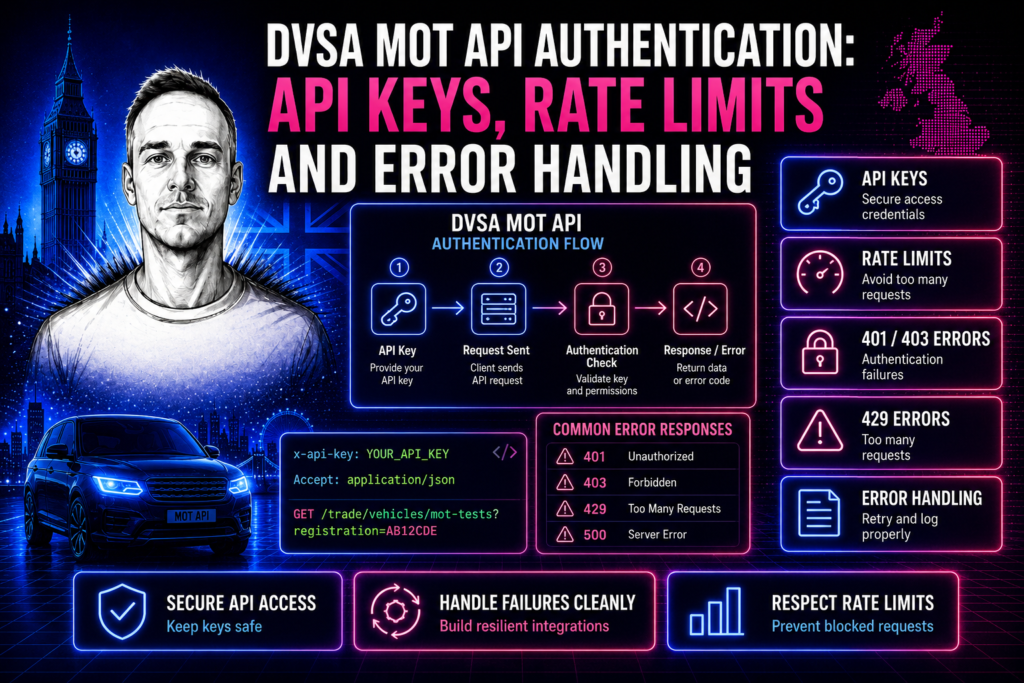
The DVSA MOT History API gives developers access to the official MOT test history for vehicles registered in Great Britain. It is free to use, well-documented and reliable — but the authentication and setup process catches a lot of developers out the first time.
This guide covers everything you need to get authenticated and making your first API calls, including the registration process, API key management, rate limits, error handling and production best practices.
How to Register for a DVSA MOT API Key
The DVSA MOT History API is available through the GOV.UK API platform. To get access, you need to register for an API key at the DVSA developer portal. Registration is free and open to any UK-based developer or business.
The registration process involves creating an account, providing your business details and intended use case, and agreeing to the terms of use. Once submitted, your API key is typically issued within one to two working days. In some cases it can take longer if DVSA needs to review your application.
Each API key is linked to a specific application. If you are building multiple products that use MOT data — for example, a customer-facing MOT check tool and an internal fleet management system — you should register separate keys for each. This keeps your usage tracking clean and prevents one application from consuming the rate limit allocated to another.
API Authentication: How It Works
The DVSA MOT History API uses a simple API key authentication model. Every request must include your API key in the request header. The header name is x-api-key and the value is the key string issued during registration.
There is no OAuth flow, no token refresh, and no session management required. This makes the API straightforward to integrate compared to many other government APIs. A basic authenticated request looks like a standard HTTPS GET to the endpoint with the x-api-key header included.
The base URL for all API requests is https://history.mot.api.gov.uk. The most commonly used endpoint is the vehicle registration lookup, which returns the full MOT history for a specific vehicle based on its registration number.
API Endpoints and What They Return
The primary endpoint most developers use is the registration lookup. You pass a vehicle registration number and receive back the full MOT test history including test dates, results (pass or fail), mileage readings, advisory notices, reasons for failure, and the MOT expiry date.
There is also a vehicle ID lookup endpoint for cases where you have the DVSA vehicle ID rather than a registration number. Both endpoints return the same data structure — the only difference is the lookup method.
The response data is returned in JSON format. Each vehicle record contains an array of MOT tests ordered by date, with the most recent test first. Each test record includes the test result, the odometer reading, any advisory items (things noted but not causing a failure), and any failure items with their specific failure categories. For a detailed look at the full response structure and what each field means, see our guide on what the DVSA MOT API returns.
Rate Limits and Throttling
The DVSA MOT API enforces rate limits to prevent abuse and ensure fair access for all registered users. The current rate limit is approximately 150 requests per minute per API key. If you exceed this limit, the API returns a 429 (Too Many Requests) response.
For most use cases — vehicle lookup tools, MOT check widgets, fleet management dashboards — this limit is more than sufficient. However, if you are building a high-volume application that needs to check hundreds of vehicles simultaneously, you will need to implement request queuing and backoff logic.
Best practices for staying within rate limits include caching responses for a reasonable period (MOT data does not change frequently — daily caching is usually sufficient), implementing exponential backoff when you receive 429 responses, spreading batch lookups across time rather than firing them all at once, and monitoring your usage to identify unexpected spikes.
Common Errors and How to Handle Them
The most common errors developers encounter with the DVSA MOT API fall into a few categories.
A 401 Unauthorised response means your API key is missing, invalid or has been revoked. Double-check that you are sending the key in the x-api-key header (not as a query parameter) and that the key is active in your DVSA developer account.
A 404 Not Found response when looking up a vehicle means either the registration number does not exist in the DVSA database, or the vehicle has never had an MOT test. New vehicles that are less than three years old and have not yet required their first MOT will return a 404. This is not an error — it is a valid response that your application should handle gracefully.
A 429 Too Many Requests response means you have exceeded the rate limit. Implement retry logic with exponential backoff — wait one second, then two seconds, then four seconds before retrying. Do not immediately retry on a 429 as this will extend your rate limit window.
A 503 Service Unavailable response indicates temporary downtime on the DVSA side. This is rare but does happen during maintenance windows. Your application should display a user-friendly message and retry after a few minutes.
Security Best Practices
Your API key should never be exposed in client-side code. If you are building a web-based MOT check tool, the API call must go through your own backend server — never directly from JavaScript running in the browser. Exposing your key in client-side code allows anyone to find it, use your quota and potentially get your key revoked.
Store your API key in environment variables or a secrets manager, never in your source code repository. If you are using version control, add your environment file to .gitignore to prevent accidental commits.
If you suspect your API key has been compromised, regenerate it immediately through the DVSA developer portal. The old key will be revoked and a new one issued.
Production Implementation Tips
When moving from development to production, there are several things worth getting right from the start.
Always validate the registration number format before making an API call. UK registration numbers follow specific patterns — catching obviously invalid inputs before they hit the API reduces unnecessary requests and improves the user experience.
Cache responses aggressively. MOT data changes at most once a year for most vehicles (when a new test is carried out). Caching results for 24 hours dramatically reduces your API usage without meaningfully affecting data freshness. For fleet management applications where you are tracking hundreds or thousands of vehicles, a daily batch job that refreshes your cache is far more efficient than real-time lookups.
Log your API responses, especially errors. Tracking 401s helps you catch authentication issues early. Tracking 429s tells you if you are approaching your rate limit. Tracking 503s helps you identify DVSA downtime patterns.
Consider building your MOT check as a standalone microservice that your other applications can call. This centralises your API key management, caching and error handling in one place rather than duplicating it across multiple projects.
Use Cases for the DVSA MOT API
The most common use cases include customer-facing MOT check tools on garage and dealership websites, fleet management systems that monitor MOT expiry dates across a vehicle fleet, used car dealer platforms that display MOT history alongside vehicle listings, insurance and finance applications that verify vehicle condition before issuing policies, and internal tools for automotive businesses that need to look up vehicle history as part of their workflow.
If you are looking to integrate the DVSA MOT API into your website or business application, I build custom DVSA MOT API integrations for businesses across the UK. See API integration pricing for costs, or get in touch to discuss your requirements.
Frequently Asked Questions
Is the DVSA MOT History API free?
Yes. The DVSA MOT History API is free to register and free to use. There are no usage fees or subscription costs. You only need to register for an API key through the DVSA developer portal.
What is the rate limit for the DVSA MOT API?
The current rate limit is approximately 150 requests per minute per API key. For most applications this is more than sufficient. If you need higher throughput, implement caching and request queuing.
Can I use the DVSA MOT API in a customer-facing website?
Yes, but the API calls must go through your backend server. Never expose your API key in client-side JavaScript. Build a server-side endpoint that your frontend calls, which then makes the authenticated request to the DVSA API.
What happens if a vehicle has never had an MOT?
The API returns a 404 Not Found response. This is normal for vehicles under three years old that have not yet required their first MOT test. Your application should handle this as a valid scenario, not an error.
How often does MOT data update?
MOT test results are typically available through the API within a few hours of the test being completed and recorded. For most vehicles, new data appears once a year. Daily caching is sufficient for the vast majority of use cases.
Need a custom integration built?
I build custom API integrations — Stripe, Companies House and bespoke data pipelines. Reliable, well-documented, no agency overhead.
Discuss your project →